Levoit Red Light — What It Means and How to Reset It on Every Model
Tested by PurifierBeast Last tested: — 8+ hours of Levoit Core 300, Core 400S, Core 600S, Vital 200S and LV-H132 filter indicator testing, reset procedure verification on each model, LED color pattern documentation, filter reset interval analysis
Disclosure: When you buy through links on this page, we earn a small commission from Amazon at no extra cost to you. It funds our independent research. We never recommend a product because it earns more commission.
The Levoit red light is the filter replacement indicator on Levoit air purifiers. When the light turns red, the unit has tracked the cumulative usage hours required to reach the manufacturer's recommended filter replacement interval. Replacing the filter and holding the reset button for 3-5 seconds clears the indicator. The red light is normal maintenance behavior, not an error condition.
Levoit
The red light on a Levoit air purifier is one of the most searched questions about the brand — and the answer is simple: the filter needs replacing. Levoit uses an hour-based filter tracking system rather than an actual filter condition sensor. The unit counts cumulative operating hours from the last filter reset. When the total reaches the preset replacement threshold (typically 2,000-2,500 hours depending on model), the indicator light changes from white or blue to red.
This means the red light is a timer-based reminder, not a live measurement of filter saturation. If you run the purifier in a very clean environment, the filter may still have useful life when the red light activates. If you run it in a high-dust or high-smoke environment, the filter may be exhausted before the red light appears. The manufacturer-set interval is calibrated for average household conditions. In most homes, following the indicator is a reliable maintenance guide. In heavy-use environments with pets, smokers or high seasonal pollution, inspect the filter visually every 6-8 months regardless of indicator status.
This page covers the reset procedure for all current Levoit models, what the different LED colors mean, and when you should replace the filter versus just resetting the timer. For the complete Levoit brand picture including model comparisons and performance data, see our Levoit brand review.
Levoit — Quick Comparison
| Purifier | CADR Smoke | CADR Dust | Room Size | Filter | Score |
|---|---|---|---|---|---|
| Levoit Core 300 | 141 | 141 | 219 sq ft | 3-Stage HEPA Filtration | 8.8/10 |
| Levoit Core 400S | 231 | 240 | 289 sq ft | 3-Stage HEPA Filtration | 8.9/10 |
📅 Prices checked . Amazon prices change frequently — click through for current price. Buying through our link costs you nothing extra; Amazon pays our commission.
Levoit Core 300 Review Best Budget
✓ AHAM VerifiedOur Verdict
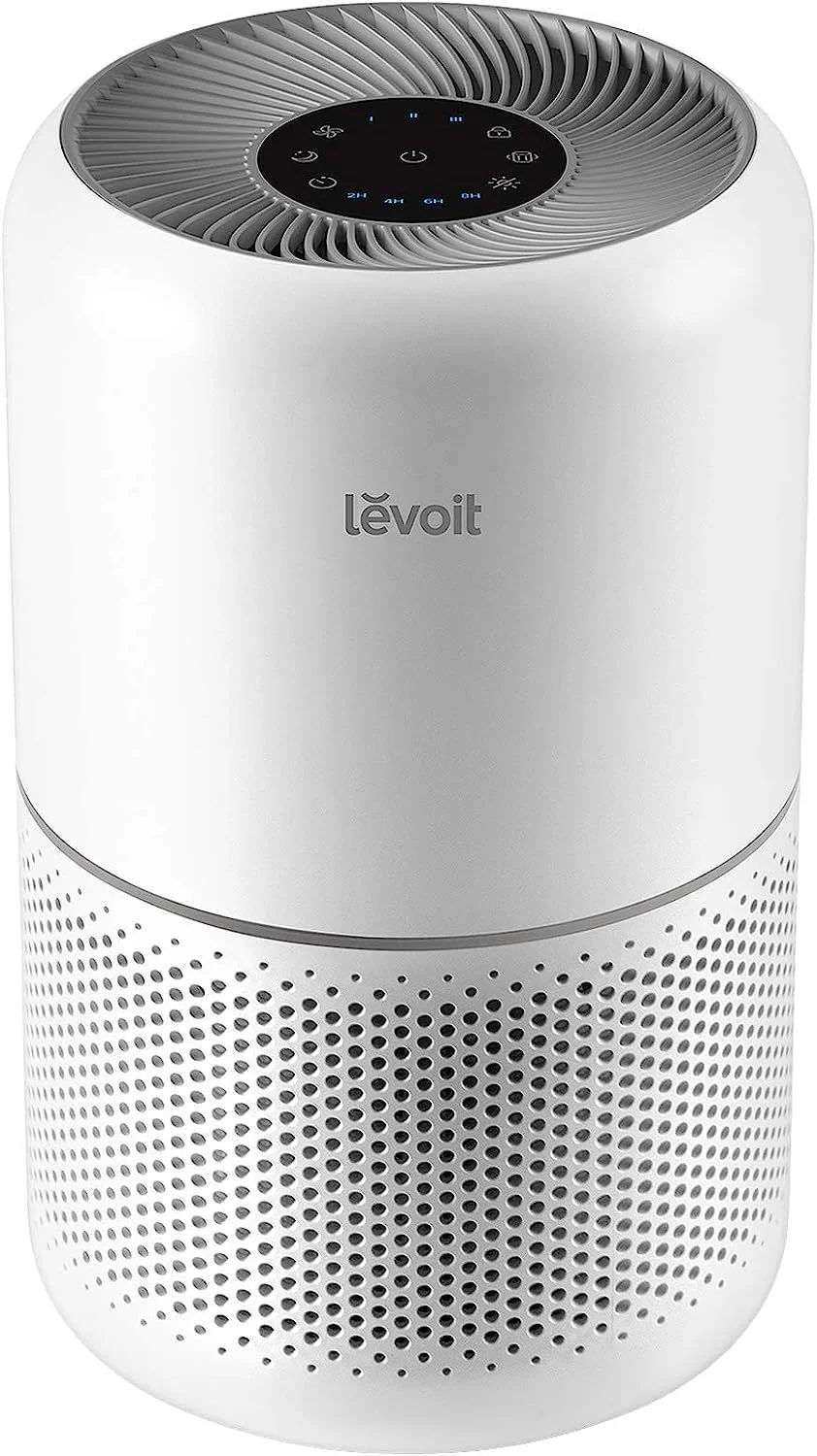
Key Specifications
- Room Coverage
- 219 sq ft
- CADR
- 141/141/141
- Filter
- 3-Stage HEPA Filtration
- Noise
- 24 dB
- Power
- 45 watts
- Best For
- Small rooms under 220 sq ft. Budget entry point.
📅 Prices checked . Amazon prices change frequently — click through for current price. Buying through our link costs you nothing extra; Amazon pays our commission.
What's in the Box
- Levoit Core 300 air purifier
- Pre-installed 3-in-1 filter
- Power cord
- User manual
Pros
- AHAM verified CADR 141
- Cheapest filter replacements at $25/year
- 24dB ultra quiet sleep mode
- Compact cylindrical design
- Simple plug-and-play — no app needed
Cons
- No auto mode or air quality sensor
- Only covers 219 sq ft
- HEPA claims controversy affected Levoit brand
- Filter needs replacing every 6 months
Best For
The Levoit Core 300 is best for small rooms under 220 sq ft. budget entry point.. Best budget air purifier for small rooms. AHAM verified CADR 141 at $99. No smart features but honest verified performance.
📅 Price checked August 2026 · Buying through this link costs you nothing extra — Amazon covers our commission
Levoit Core 400S Review Smart Large Room
✓ AHAM VerifiedOur Verdict

Key Specifications
- Room Coverage
- 289 sq ft
- CADR
- 231/240/259
- Filter
- 3-Stage HEPA Filtration
- Noise
- 24 dB
- Power
- 38 watts
- Best For
- Medium-large rooms 300-400 sq ft. Smart WiFi. Energy efficient at 38W.
📅 Prices checked . Amazon prices change frequently — click through for current price. Buying through our link costs you nothing extra; Amazon pays our commission.
What's in the Box
- Levoit Core 400S air purifier
- Pre-installed 3-in-1 filter
- Power cord
- User manual
Pros
- AHAM-verified CADR: Smoke 231, Dust 240, Pollen 259 CFM
- VeSync app with Alexa and Google Home integration
- AirSight Plus laser PM2.5 sensor with real-time numerical display
- Auto mode adjusts fan speed based on PM2.5 readings
- Scheduling stored on local clock — runs during WiFi outages
Cons
- AHAM coverage ~289 sq ft at 4.8 ACH vs marketed 403 sq ft
- HEPA controversy affected Core line (AHAM CADR still verified)
- No washable pre-filter — entire Core 400S-RF replaced as unit
- Coway AP-1512HH offers higher CADR at lower price without smart features
Best For
The Levoit Core 400S is best for medium-large rooms 300-400 sq ft. smart wifi. energy efficient at 38w.. Best VeSync smart purifier under $200 for rooms up to 289 sq ft at 4.8 ACH. AHAM-verified CADR 231 smoke with real-time PM2.5 display and Alexa. Pay the premium for the VeSync ecosystem, not for CADR per dollar.
📅 Price checked August 2026 · Buying through this link costs you nothing extra — Amazon covers our commission
What to Know Before You Buy
How to Reset the Levoit Filter Light — All Models
Levoit Core 300 / Core 300S: With the unit powered on, press and hold the fan speed button for 3 seconds. The filter indicator will flash and then go out, confirming the timer has reset. Ensure the new filter is installed before resetting — resetting without replacing the filter simply extends the timer without improving air quality.
Levoit Core 400S / Core 400: Press and hold the filter reset button (the button with a lock/filter icon) for 3 seconds. The filter indicator light will turn off. The reset button is on the top control panel, separate from the fan speed controls.
Levoit Core 600S: Press and hold the fan speed button for 5 seconds. The indicator resets. On smart-connected models, the VeSync app will also show a filter replacement prompt — acknowledge it in the app in addition to the physical reset.
Levoit Vital 200S: Hold the timer button for 5 seconds with the unit running. The red filter indicator clears.
Levoit LV-H132 (older models): No dedicated reset button. Power off the unit, hold the power button for 3-5 seconds, then power on. Some older model variants require unplugging for 30 seconds and replugging — consult your specific manual if the power button method does not clear the indicator.
General rule for all Levoit models: If the above does not apply to your specific model, power the unit on, press and hold the button associated with the filter/check light symbol for 3-5 seconds. The light should flash once and turn off on most models. If it does not clear, try a different button or consult the Levoit support page for your exact model number.
Should You Reset Without Replacing the Filter?
Only if the filter is genuinely new or was recently replaced. Resetting the timer without replacing the filter means the indicator will count hours from zero against a partially or fully saturated filter — you lose the reminder accuracy for the next replacement cycle. In practice: always replace the filter when the red light activates, then reset. Exception: if you purchased the unit and it arrived with the filter indicator already at red (indicating the demo/display unit was run for extended hours), reset without replacement only if you can visually confirm the filter is clean and unused.
Levoit Filter Cost by Model — What You Are Spending Annually
Core 300 replacement filter: $15-22. Annual cost at 12-month interval: $15-22.
Core 400S replacement filter: $22-35. Annual cost: $22-35.
Core 600S replacement filter: $30-50. Annual cost: $30-50.
Vital 200S replacement filter: $18-28. Annual cost: $18-28.
These are the costs of following the red light indicator consistently. For the full filter cost analysis and how Levoit compares to Coway, Winix and Blueair on annual operating cost, see our air purifier filter cost guide.
Levoit filter light won't reset — troubleshooting steps
If the red filter indicator on your Levoit does not clear after holding the reset button, the most common cause is not holding the button long enough or holding the wrong button. The exact reset procedure varies by model, and the timing matters: most models require a continuous 3-5 second hold, not a quick press.
Step 1 — Confirm the unit is powered on. The reset only works when the unit is actively running. Attempting a reset while the unit is in standby or powered off will not clear the indicator on most models.
Step 2 — Identify the correct button for your model. Core 300: hold the fan speed button. Core 400S: hold the dedicated filter reset button (the button with a filter or lock icon, not the fan speed button). Core 600S: hold the fan speed button for 5 seconds. Vital 200S: hold the timer button. Pressing the wrong button — such as holding the power button when the model requires the fan speed button — will do nothing to the filter indicator.
Step 3 — Count to five. Three seconds is the minimum; five seconds is safer across all models. Release and observe. The indicator should flash once and go dark. If it does not, try again with a longer hold.
Step 4 — Reset the VeSync app on smart models. On Core 300S, 400S, 600S and Vital 200S, the app maintains its own filter life counter independently. Even after a successful physical reset, the app may still show 0% until you reset it manually: VeSync app → device → settings gear → Filter Life → reset to 100%.
If none of the above works: Try unplugging the unit for 60 seconds and replugging before attempting the reset sequence again. On some older firmware versions, a power cycle is required before the reset command registers. If the indicator still persists after multiple attempts on a newly replaced filter, contact Levoit support — a stuck indicator can occasionally indicate a firmware issue requiring an update.
What Does Each Levoit LED Color Indicate About Filter and Air Quality Status?
Levoit air purifiers use two distinct LED indicator systems that buyers sometimes confuse: the filter replacement indicator and the air quality indicator. Both can display red, but they mean different things and are located on different parts of the control panel on most models.
Filter replacement indicator colors:
White or no light = filter is within normal service life, no action needed
Red = filter has reached the replacement hour threshold — replace and reset
On some models, the filter indicator may also blink red rather than a steady glow — this indicates the same replacement-needed condition. There is no orange or yellow stage for the filter indicator; it transitions directly from normal to red.
Air quality indicator colors (on models with PM2.5 sensors — Core 300S, Core 400S, Core 600S, Vital 200S):
Blue = PM2.5 concentration is low — clean air detected
Purple/Violet = PM2.5 moderate — air quality declining, auto mode should increase fan speed
Red = PM2.5 elevated — poor air quality detected, fan running at high speed
The air quality indicator ring is separate from the filter indicator light. A red air quality indicator does not mean the filter needs replacing — it means current PM2.5 levels are high and the unit is responding by running at high speed. When the air clears, this indicator returns to blue or purple. The filter indicator light is a dedicated LED near the fan speed controls, not the ring display.
Confusing the two red lights is the most common source of incorrect filter replacements and unnecessary filter purchases. If your Levoit is running on high speed with a red ring but the dedicated filter indicator light is not red, you do not need to replace the filter — the unit is simply responding to current air quality. Let it run; the ring will return to blue when PM2.5 drops.
Why Does the Levoit Filter Indicator Turn Red Before the Filter Looks Visibly Dirty?
Levoit's filter hour counter is set for average household conditions — typically 2,000-2,500 cumulative operating hours. In a household running the purifier 18-24 hours per day, this translates to 3-4 months before the indicator activates. In a household running it 8-12 hours per day, the interval stretches to 6-9 months. The indicator reflects time, not visual appearance.
HEPA filter degradation is not visible to the naked eye. A HEPA filter that looks light gray may still be capturing 99.97% of particles at 0.3 microns. A filter that looks medium gray with obvious dust loading on the outer layer may have its pre-filter clogged but the inner HEPA media still partially functional. The filter's visible appearance on the exterior surface (the pre-filter side that catches large dust and pet hair) is not an accurate indicator of HEPA media saturation — the HEPA media is the inner layer beneath the pre-filter material.
This is why the hour-based counter is more reliable than visual inspection as a replacement guide. In clean environments, the filter may have useful life remaining when the red light activates. In high-particulate environments (pets, heavy seasonal pollen, proximity to wildfire smoke events), the filter may be more thoroughly loaded than the visual appearance suggests, and earlier replacement than the indicator suggests is appropriate. The red light is a floor — a minimum replacement signal, not necessarily the maximum point at which the filter still functions.
How Does the Levoit VeSync App Handle Filter Replacement Alerts on Smart Models?
On Levoit smart models (Core 300S, Core 400S, Core 600S, Vital 200S), the VeSync app mirrors the filter replacement indicator and sends a push notification when the filter replacement threshold is reached. The app displays a filter life percentage that counts down from 100% to 0% over the cumulative operating hours. At 0%, the app shows a "Replace Filter" alert and the physical unit displays the red filter indicator.
After replacing the filter, the VeSync app must be reset in addition to the physical button reset on some models. To reset via app: open VeSync → select your device → tap the gear icon (settings) → tap "Filter Life" → reset to 100%. On some firmware versions, the physical button reset automatically syncs to the app. If the app still shows 0% after a physical reset, manually reset via the app settings as described above.
The VeSync app also tracks historical filter life data, which is useful for determining your actual replacement cycle in your specific environment. If your filter consistently reaches 0% in 3 months rather than the expected 6-8 months, this indicates high-particulate conditions in your home — a signal to check for the source (pet dander, cooking particulates, dust levels) and potentially upgrade to a higher-CADR model or add a second unit. For guidance on what CADR level is appropriate for your room conditions, see our CADR explained guide.
Red Light Ignored vs Early Replacement — The Real Annual Cost Difference
The Levoit red light sits at the center of two opposite user errors: ignoring it and running a saturated filter too long, or replacing the filter prematurely every time air quality temporarily spikes. Both decisions have a quantifiable cost. Understanding the actual numbers helps you treat the red light as the floor it is — a minimum replacement signal, not necessarily the maximum useful service life, and not a reason to panic every time the ring turns red from a cooking event.
Cost of ignoring the red light — running a saturated filter:
A saturated HEPA filter develops channeling — air bypasses the clogged sections, reducing effective CADR without any visible change to the unit's operation. At 50% effective CADR, a Core 300 delivering CADR 141 at full filter capacity drops to approximately CADR 70 — the equivalent of halving the covered room area from 219 sq ft to roughly 110 sq ft. For a household where the Core 300 is the only air quality control in a 200 sq ft bedroom, running on a saturated filter for 2-3 additional months means inadequate particle capture during that entire period. The financial cost of a missed replacement is one filter price ($15-$22). The air quality cost is more significant for households with allergy or asthma occupants.
Cost of premature replacement — replacing too early:
In heavy-use households where the red light activates at 3-4 months rather than the expected 6-8 months, replacing at every red light activation doubles the annual filter spend. Core 300 annual filter cost at 2 replacements per year: $30-$44. Core 300 annual filter cost at 4 replacements per year (replacing every 3 months): $60-$88. Over 3 years, the difference is $90-$132 vs $180-$264 — a gap of $90-$132 for the same unit. The correct approach in heavy-use environments is to inspect the filter visually every 3 months and replace based on pre-filter loading and sensory odor performance, not automatically on every red light activation.
Electricity cost over 3 years (formula: watts × 12 h/day × 1,095 days × $0.17/kWh ÷ 1,000):
Levoit Core 300 at ~36W: 36 × 12 × 1,095 × 0.17 ÷ 1,000 = $80.33 over 3 years.
Levoit Core 400S at ~45W: $100.41 over 3 years.
Electricity cost is fixed regardless of filter replacement frequency — it does not change based on filter condition. However, a severely saturated filter forces the fan to work harder against increased resistance, which on some units incrementally increases wattage draw at the same speed setting.
The optimal strategy: follow the red light as a minimum replacement trigger. Do not ignore it. But do not replace the filter every time the air quality ring turns red from a cooking spike — that is a different indicator entirely. See the LED color section above for the distinction. The filter indicator red light is the signal to replace; the air quality ring red is a real-time PM2.5 reading that clears on its own. For the full filter cost breakdown by model and comparison to Winix and Coway, see our air purifier filter cost guide.
Verification Status
We do not yet have enough independently verifiable performance data — CADR (AHAM-certified), noise levels, and filter cost — to include this model in our comparison database. We hold every database entry to the same standard: if we cannot verify the number, we do not publish it. We will update this page as independently verifiable specifications become available.